Desktop app
Your show, on your desk.
Podcast Soundboard for Mac and Windows plays sound files stored on your computer, works offline, and fires pads from your keyboard, global shortcuts or a MIDI controller.
 Download for Mac
Mac: $14.99 on the Mac App Store. Windows: a $14.95 lifetime licence, or included with a web subscription. 30-day refund on any purchase.
Global shortcuts
Fire pads from any app.
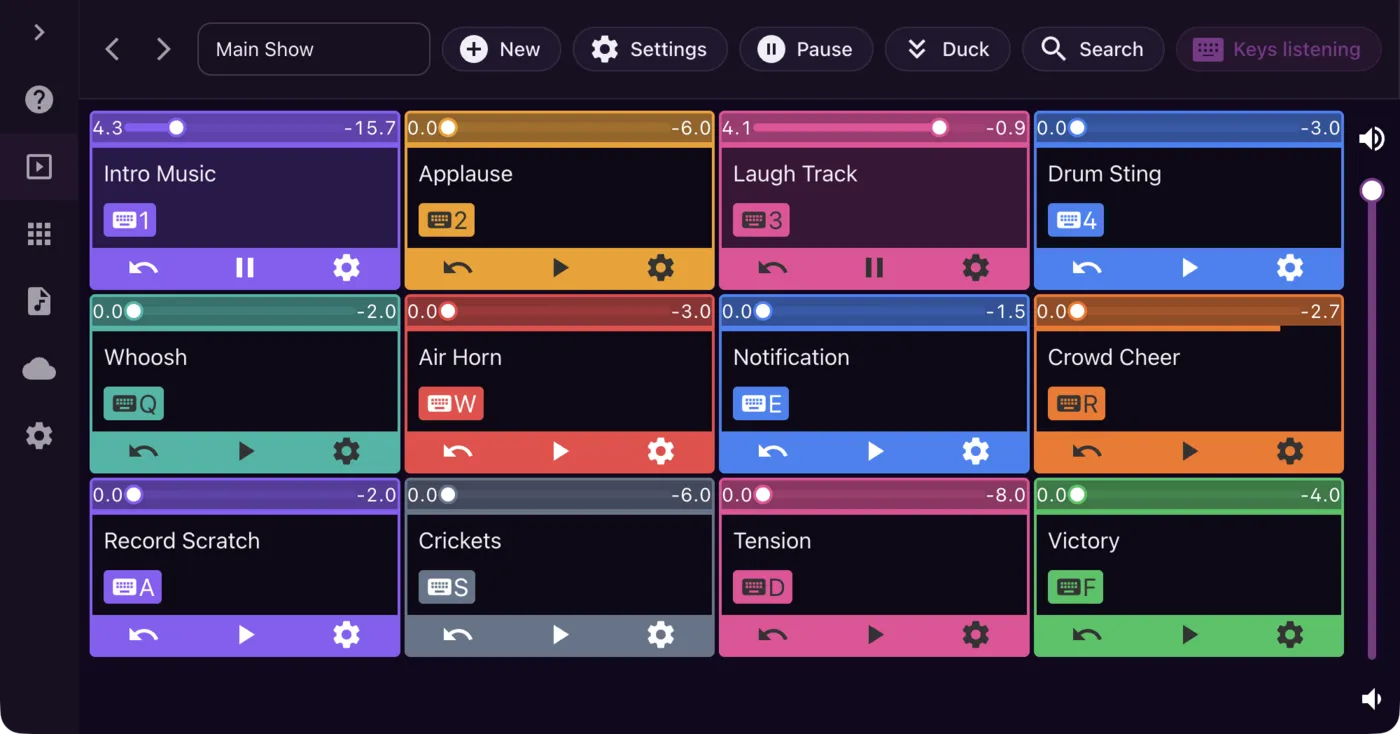
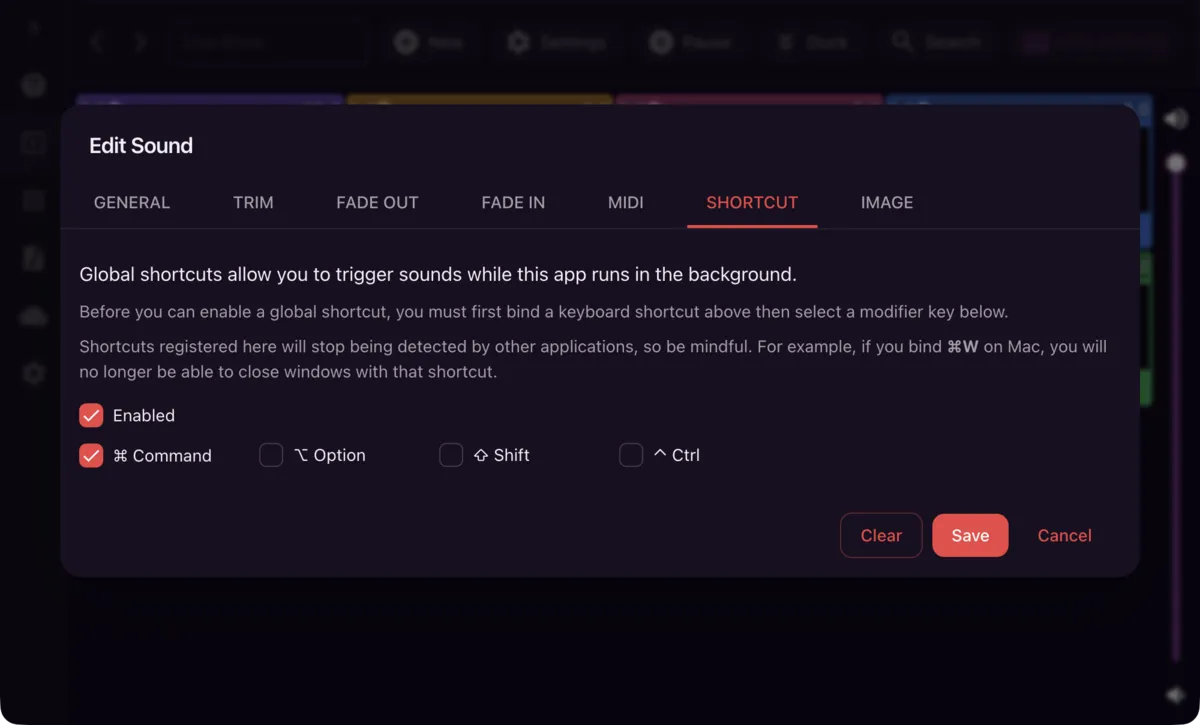
Bind a pad to a global shortcut and it plays while your call, stream or editor has focus. Each pad shows its key and MIDI note, so you can see what plays what. Regular keyboard shortcuts and MIDI controllers work too.
- Global shortcuts
- Keyboard shortcuts
- MIDI
Edit
Cut it to the moment.
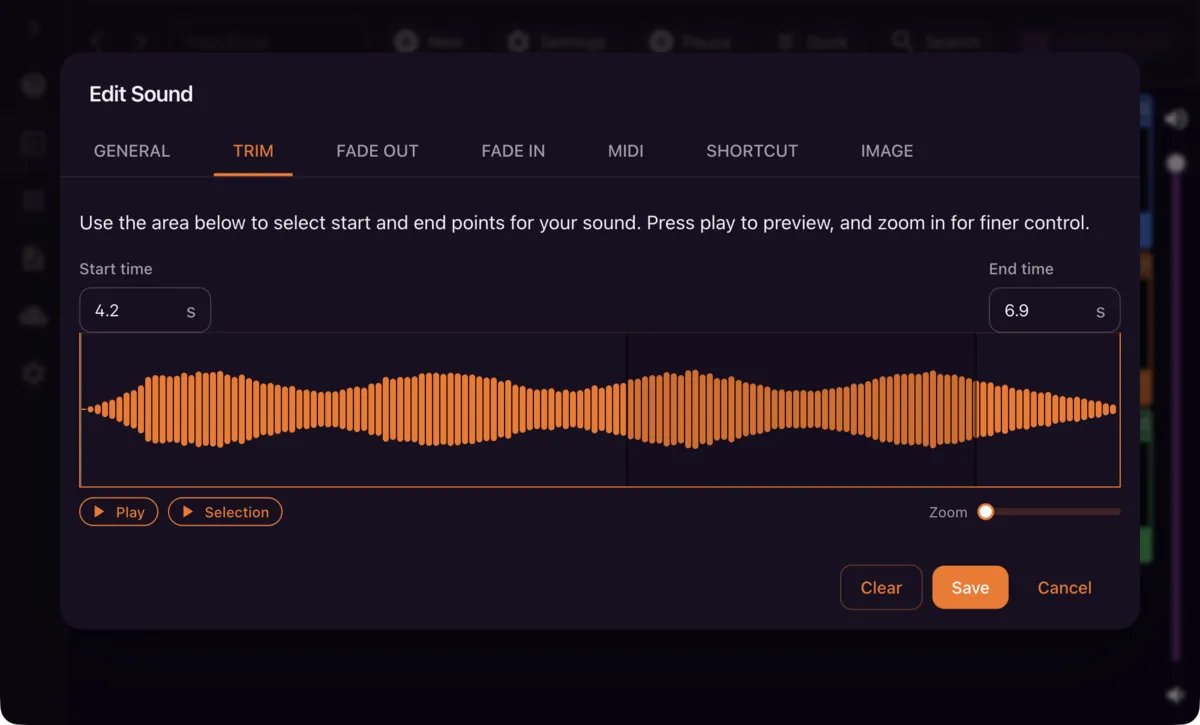
Pick start and end points on the waveform and zoom in for finer control. Add fades, loop a music bed, or let a sound stack on every press.
- Trim
- Fades
- Loop
- Multi-shot
Same boards on the web
Build boards in the browser too.
A web subscription includes the Windows app. Make boards on the website and copy them to your PC through your account.
Everything in the desktop app
Built for live shows.
Keyboard shortcuts
Put any pad on a key and fire it without reaching for the mouse.
Web and desktopMIDI controllers
Map pads to the buttons and keys of a MIDI controller and play them by hand.
Web and desktopGlobal shortcuts
Trigger pads while another app has focus, so your show never stops for a window switch.
Mac and WindowsTrim
Pick the start and end of every sound on its waveform, zoomed in for the exact moment.
Fade in and out
Give each pad its own fades so music beds come in and leave smoothly.
Loop and multi-shot
Loop a music bed under a segment, or layer copies of the same effect on every press.
Duck
One button drops everything that is playing to a lower volume while you talk over it.
Volume per pad
Set levels for each pad, each board and the whole app, so nothing comes in too loud.
Colours and pictures
Colour-code pads and give them pictures to find the right one at a glance.
Pick the output device
Send the soundboard to the audio device of your choice, apart from the rest of your computer.
Mac and WindowsVoicy and Freesound
Search Voicy's clips from any of the apps, and Freesound from the website, and add a result as a pad.
Get it
Pick your computer.
Either way, you can ask for a refund within 30 days.
Windows lifetime licence
$14.95Pay once for the Windows app. Your licence key is emailed to you and kept in your account.
Web subscription
From $2.95/moUnlimited sounds on the website, with the Windows app included.
Make a free accountWindows downloads
Get the latest version.
The Windows app asks for a licence key when it starts. Buying a licence or subscribing on the web emails you one. Mac users get updates through the Mac App Store.
Past Versions
Note that versions prior to 2.12 are only compatible with license keys purchased via Gumroad.